What is PicPocket.io?
Introduction
PicPocket started as a project to help me organize my photos. I really disliked the available methods of finding photos, everything seemed to be moving in the direction of relying more and more heavily on AI. The problem would keep compounding the more photos I had, and it seemed like the entire tech solution was simply that, one day we would somehow figure it out using AI.
What’s worse is that the main companies that deal with photo galleries, i.e. Google and Apple, have an interest in you, the user, having as many photos as possible on your phone so they can then charge you for cloud storage. If you could efficiently organize your photos based on what was important and what you don’t really need, your photo gallery would shrink from tens of thousands of photos to a few thousand at most.
That isn’t to say there’s some secret conspiracy to keep your photo gallery disorganized, but the incentive structure to build a system where everything is nice and organized doesn’t really exist.
Idea
Looking at the chat interface of WhatsApp, I realized that we kind of already organized our photos once - i.e. when we sent them to our friends who were there. For example, you go on a trip, you create a WhatsApp group for that trip, and you send the photos you took on the group chat. The group chat then eventually dies and is never looked at again, but when we sent the photos to that group the first time, we “tagged” the people who were actually there, meaning we should be able to search for photos based on who was there, right?
Searching for photos by people is an intuitive reflex. After all, you don’t usually remember random memories by the month/year they were taken, but you always remember who was there with you. Because its intuitive, most gallery apps offer an AI ‘facial recognition’ feature. There are a couple of problems with this, the first is that it just takes you to a page where it dumps all of the photos where this face was detected, and you can then ‘go to photos’ which surround that face. The photos aren’t actually organized. The second problem is, in my friend group, we’ve often gone on trips where we’ve forgotten to take any group selfies, but there are plenty of photos of the trip itself; how do I find those photos?
The Chat Interface
On PicPocket.io, you simply recreate the same chats and groups you would normally have on WhatsApp, and opening the chat shows album previews of all albums with that person or group.
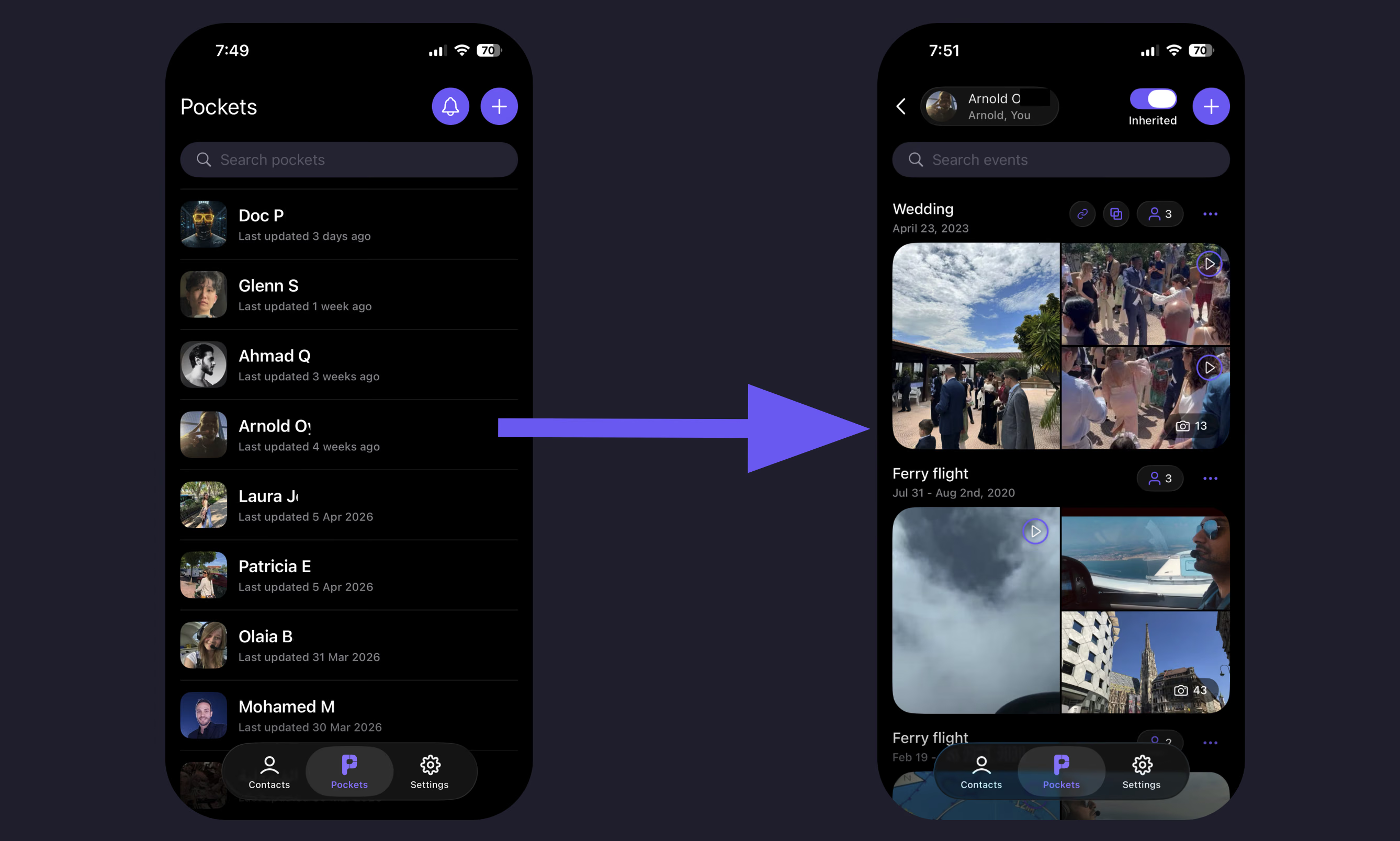
Inside the ‘chat’, you can create a new album and, when you upload photos/videos, the date range for those items is extracted automatically and the album is placed chronologically where it’s meant to go. The other person/people in the chat are also notified that there are new photos in the album and can add their own.
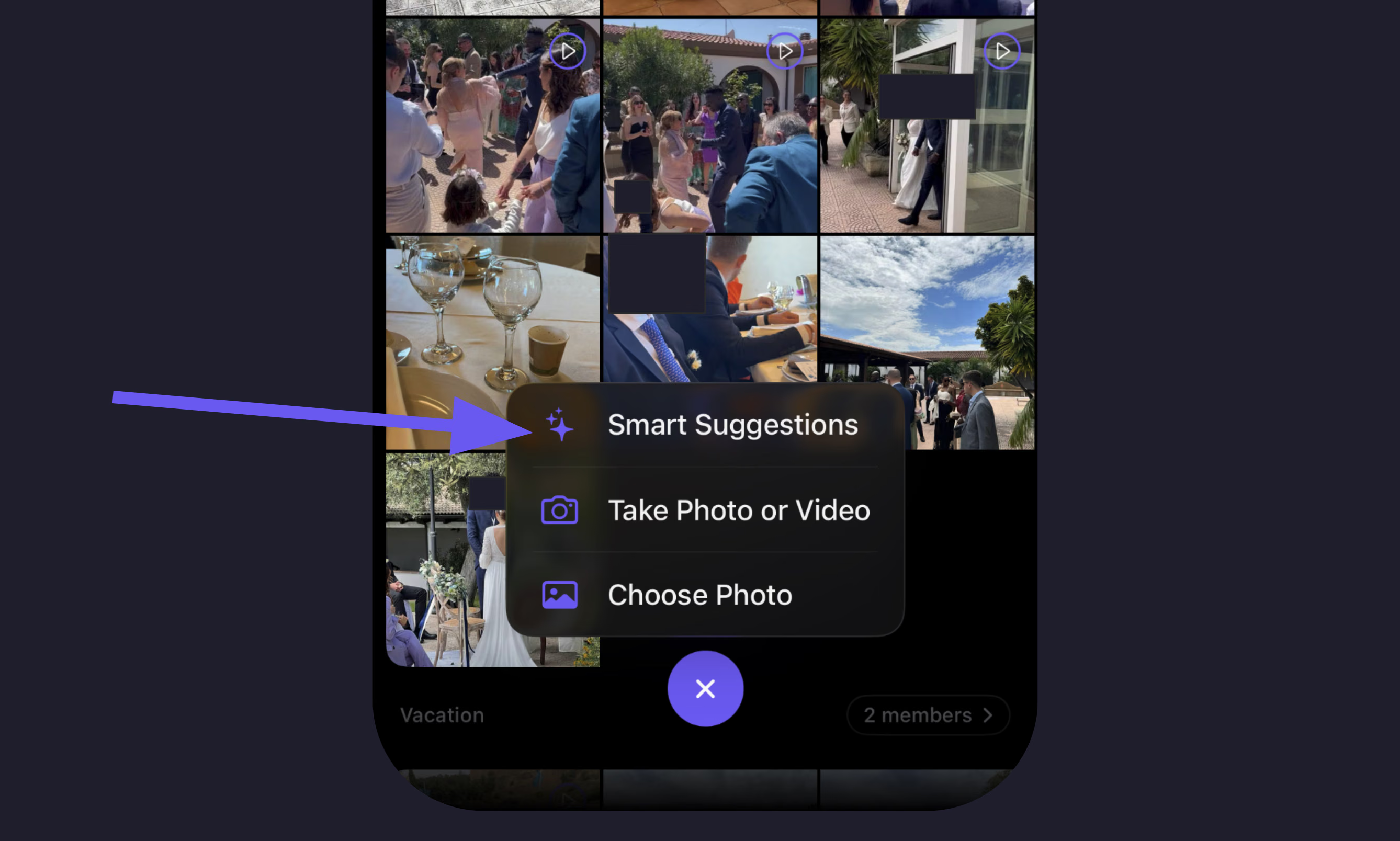
Because the app already extracted the date range from the photos/videos that you uploaded, the other people in the album don’t actually have to do finger pull-ups to find their photos in order to contribute. There’s an optional “smart suggestions” feature which can scan your library instantly for photos in the same date range as the photos in the album, and suggest that “hey, these photos probably belong here”.
Placeholders
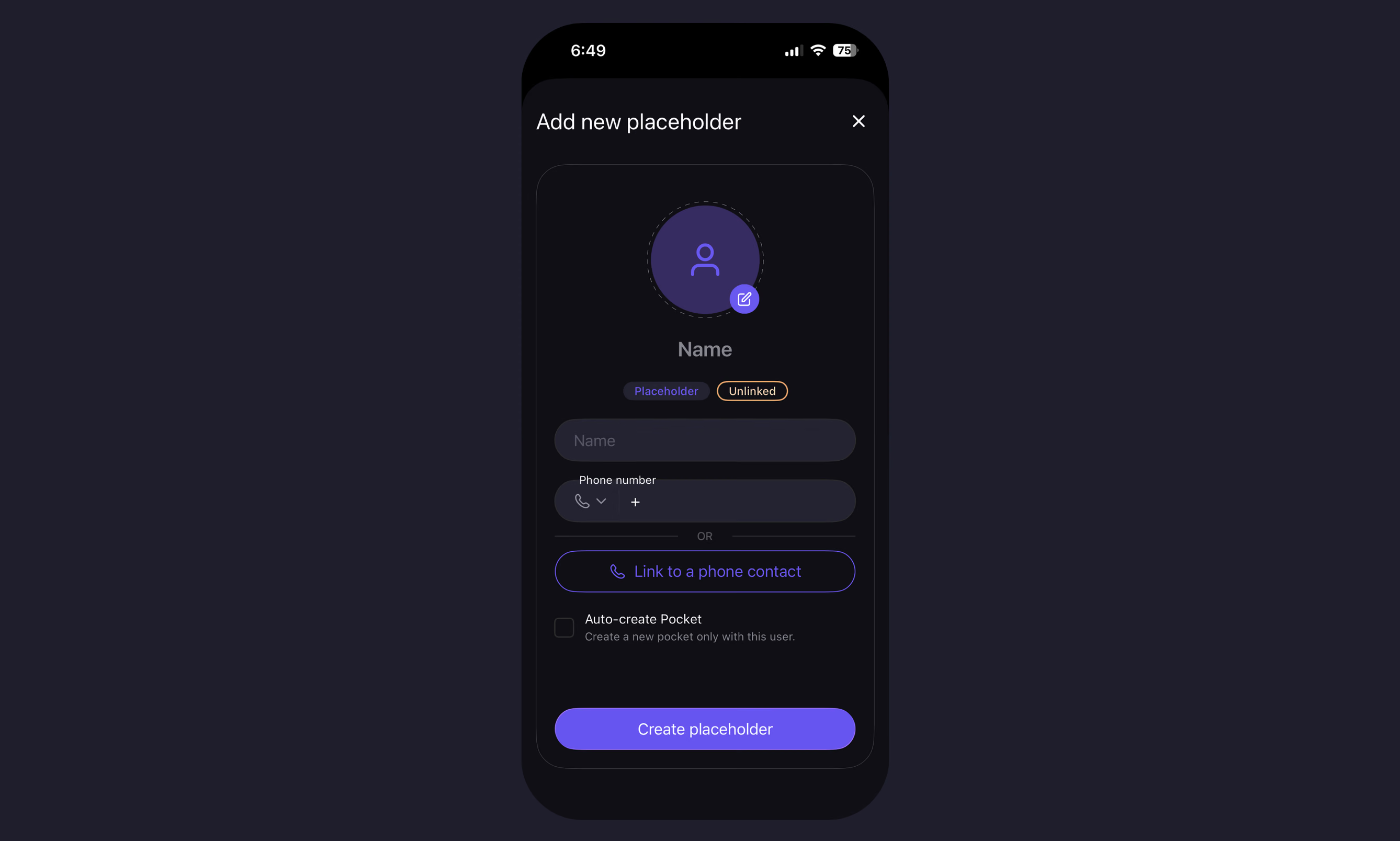
One of the obvious problems was that I wanted to organize my photos immediately, without having to wait for everyone else I know to join the platform. So, we created a system that allows you to create a placeholder for someone and optionally link it to their phone number. It’s treated just like a regular user, you can give it a name and a profile picture.
If that phone number joins the platform, they automatically get a friend request from you, and if they accept, automatically inherit the placeholder’s “chat”, and its albums/photos/etc., If they don’t accept, then you still keep the placeholder and have the benefit of organizing by that person.
One of the surprising advantages of this is that you can actually create placeholders for pretty much anything. You can either keep them as a placeholder forever or manually assign them to a real person later. Namely, you could create a placeholder for your dog if you wanted to, and add them to albums so you can find all albums with your dog, or you could add a baby as a placeholder, and when they’re old enough and have an account, you can assign the placeholder to their account, and they would inherit a chronologically organized history of all of their memories with you and others to date.
Subset/Superset logic
Finding albums becomes virtually instant when they’re subdivided by people. You also don’t have to find the exact group that you’re looking for. “Chats” will inherit albums where the members are a subset. For example, you go on a trip with your two friends Adam and Sarah. You create an album for the trip and add both of them, the album will appear in the chat with both Adam and Sarah separately, as well as a group chat (if you have one) with both of them. If you wanted to see photos exclusively with that person, you can simply toggle the “inherited” button off.
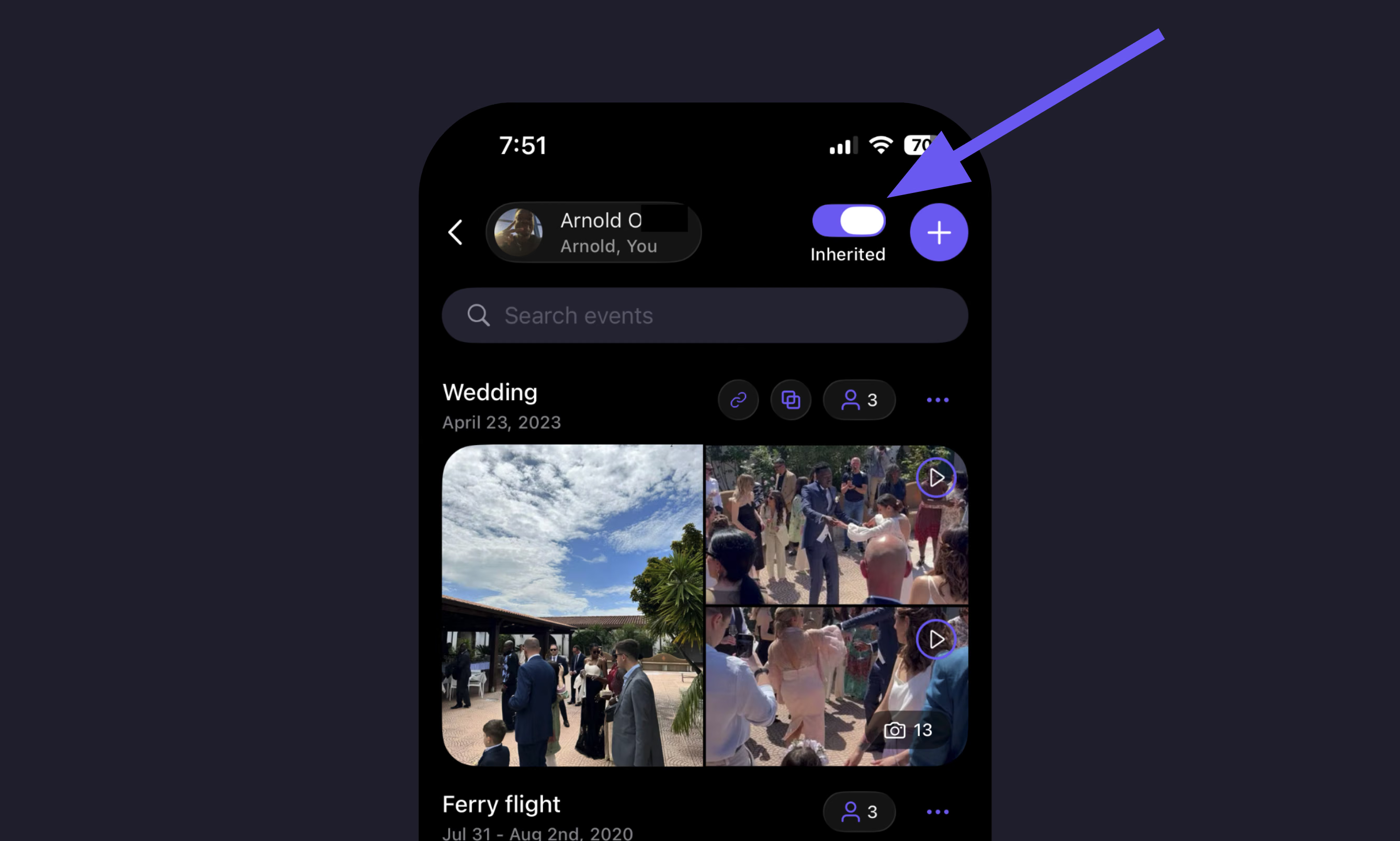
The result is that every album is a chronological history with that person or group, and whenever you want to find something, you simply have to remember one person who was there, open their chat, and from that point its significantly less scrolling to find what you were looking for.
Album linking
Once we had a working example and were able to upload our own photos to the platform, a new problem presented itself. The wedding photos I’ve been showing so far were from a real trip to Italy to attend a friend’s wedding. The issue was that for me, this also happened to be a 2-week vacation and, for my friend whose wedding it was, he would have different albums with different people of the same event (the wedding) but from different perspectives. This could quickly become a mess, so our solution was “album linking”.
In my case, I could create another album called “vacation photos” and link both albums together. This way, I could see my vacation photos and the wedding photos effectively in the same album anytime I opened one or the other, but the people in the wedding album wouldn’t see the link or my vacation photos.
At the same time, the groom could link all of the different wedding albums from different perspectives together and see all of those photos together, and I wouldn’t be able to see photos from any albums that I wasn’t part of.

Closing thoughts
If you’ve made it this far, I hope you’ve enjoyed the ideas we’ve put into this product, it’s definitely been a ton of work so far and there’s still quite a long way to go. There are also a bunch more features that I won’t go over here, but I think I’ve covered all the “big” ones. A more comprehensive list of features can be found here.
We’re still actively working on features, and renaming things to make them more accessible. In fact, as of writing this we’re in the middle of a major UX overhaul to help make it simpler/more convenient to use.
If you’d like to check it out, it’s currently available as a Web App, and an iOS App (Android coming sometime in the future).
Feel free to drop me an e-mail with your feedback/suggestions.